Skip to content
  • Categories
  • Recent
  • Tags
  • Popular
  • Users
  • Groups
Skins
  • Light
  • Brite
  • Cerulean
  • Cosmo
  • Flatly
  • Journal
  • Litera
  • Lumen
  • Lux
  • Materia
  • Minty
  • Morph
  • Pulse
  • Sandstone
  • Simplex
  • Sketchy
  • Spacelab
  • United
  • Yeti
  • Zephyr
  • Dark
  • Cyborg
  • Darkly
  • Quartz
  • Slate
  • Solar
  • Superhero
  • Vapor

  • Default (No Skin)
  • No Skin
Collapse

LiquidBounce Forum

  1. Home
  2. Kotlin/Java
  3. How to build LiquidBounce client

How to build LiquidBounce client

Scheduled Pinned Locked Moved Kotlin/Java
17 Posts 11 Posters 8.1k Views 1 Watching
  • Oldest to Newest
  • Newest to Oldest
  • Most Votes
Reply
  • Reply as topic
Log in to reply
This topic has been deleted. Only users with topic management privileges can see it.
  • _SimonClient__ _SimonClient_

    first : download https://github.com/CCBlueX/LiquidBounce/tree/legacy

    second :open IDEA

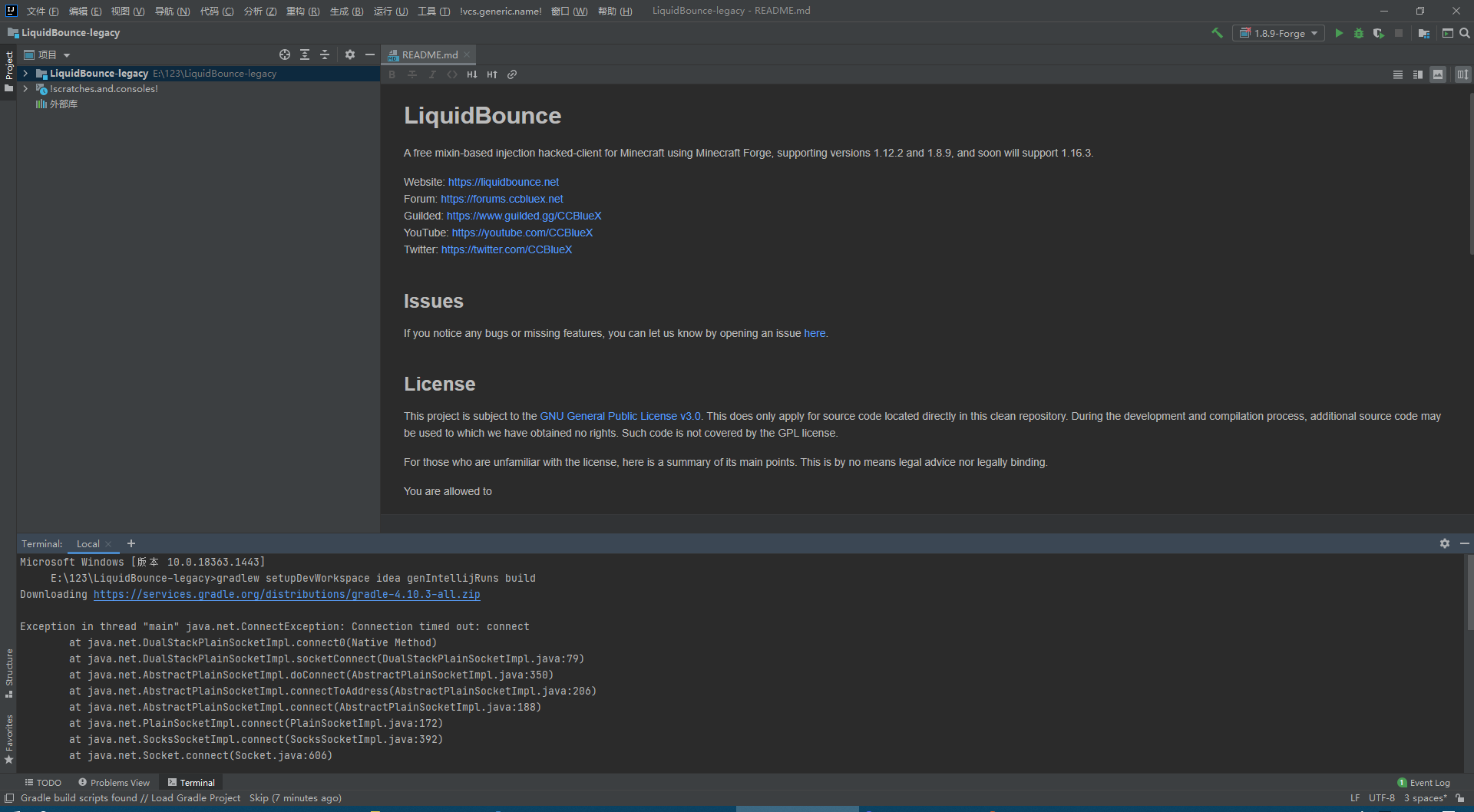
    third : click Terminal Screenshot_1.png
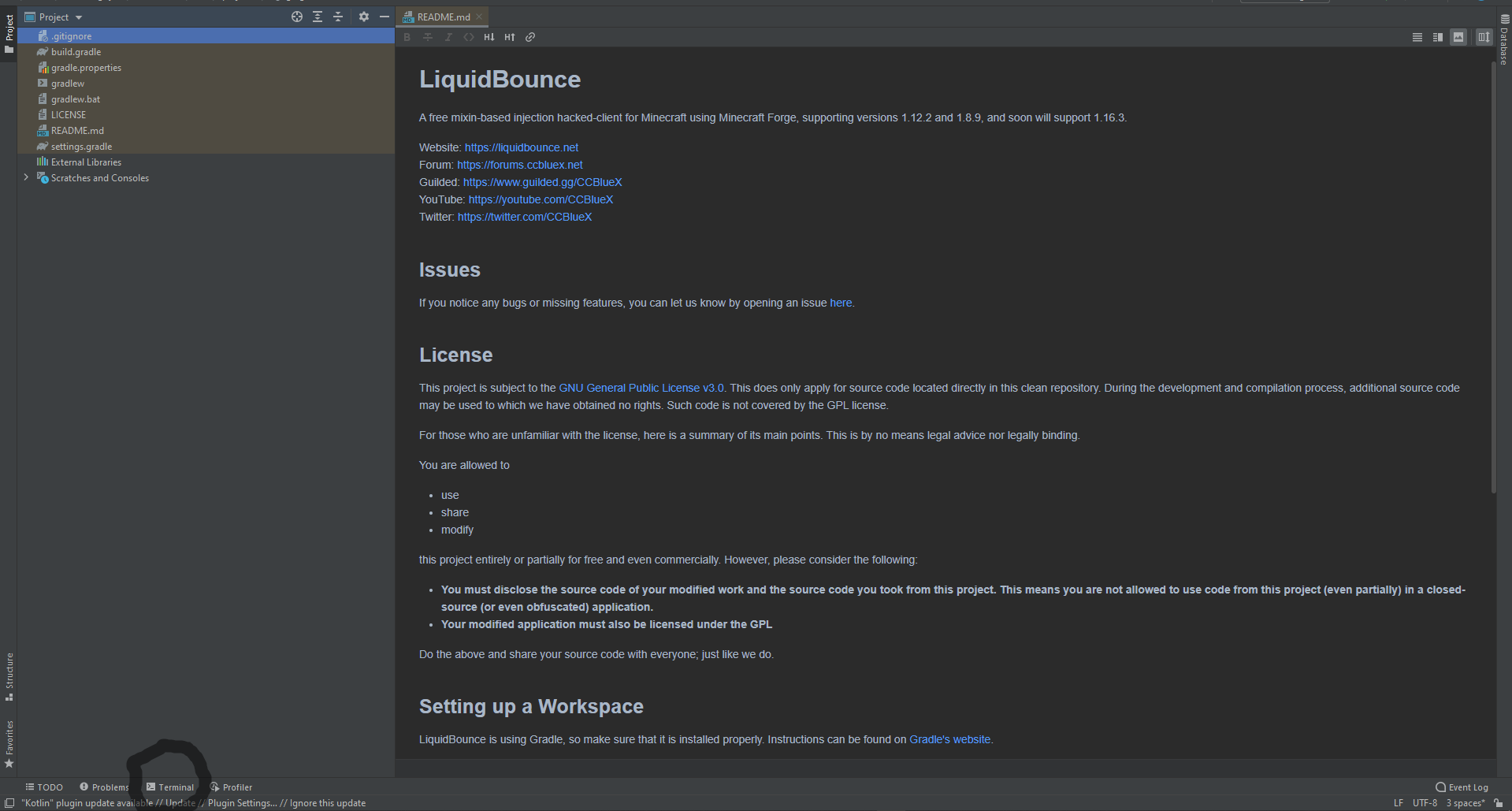
    fourth:copy this and paste to terminal
    gradlew setupDevWorkspace idea genIntellijRuns build

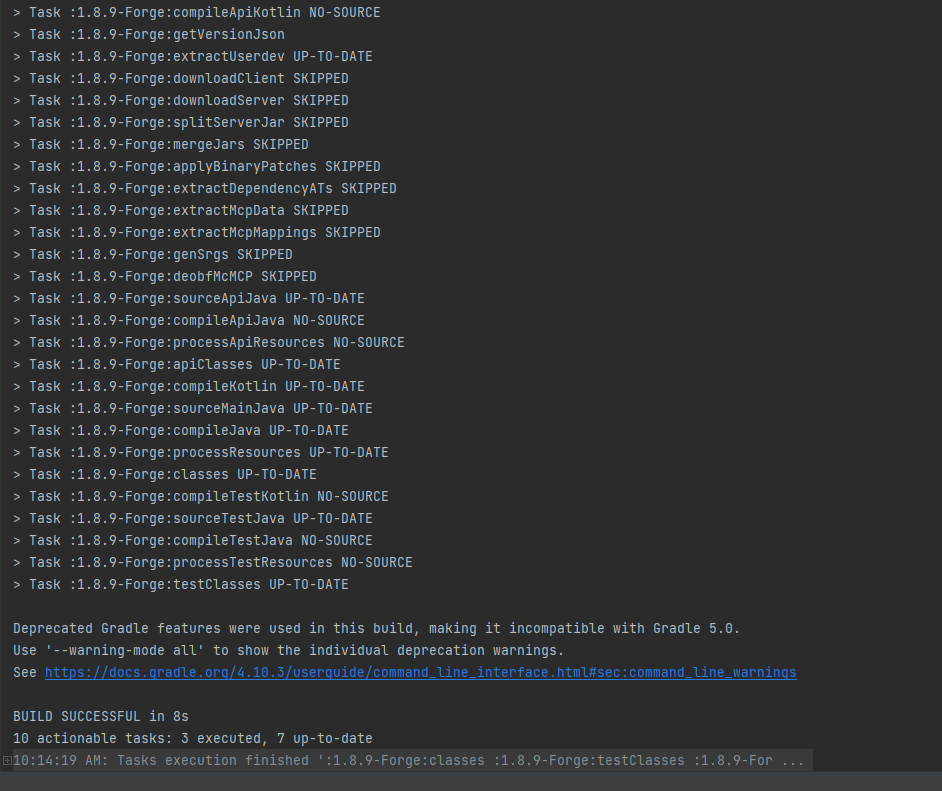
    fifth: press enter and wait to build (build is on the hotbar with terminal too) when finish it like this:
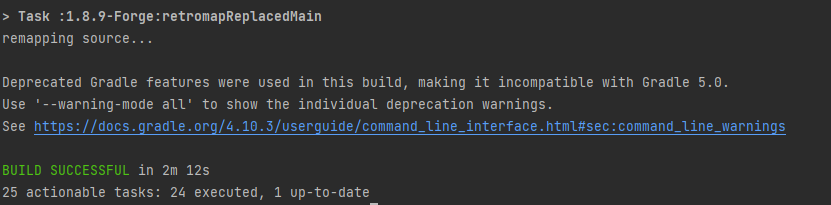
    ae1acef6-417f-4bd2-9def-f3f3a36606dc-image.png

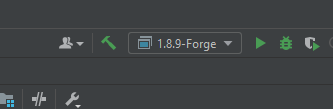
    sixth : go to build and reload, reload button
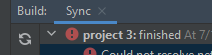
    14934a60-580f-4cf2-a01c-1c6a0b3bbdae-image.png

    seventh:click this
    f0e7bca2-a5ff-45eb-a61e-fb15ecf24c75-image.png

    And it will be liked this:
    059ff227-1d22-47b8-8229-0dc8e8145ead-image.png

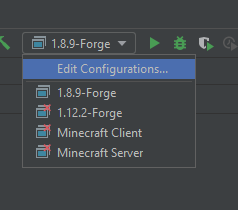
    eighth :press edit configurations
    8b8213f4-946a-49a9-a0f3-91eead8ff6a8-image.png

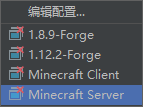
    nineth:click this button to remove 1.12.2-Forge Minecraft Client and Minecraft Server
    1ee24113-1a6f-4086-a15e-a30694cf454a-image.png

    ten: edit src in share folderb5296566-642e-4578-b5fd-76a633a7342e-image.png

    eleven : open terminal again
    and paste this code in : gradlew build
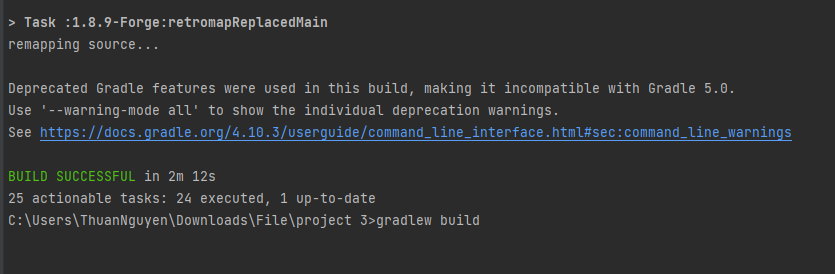
    24d17822-c583-496a-8cfd-f1ae1fbcf773-image.png

    twelve press Enter and wait it to build like this:
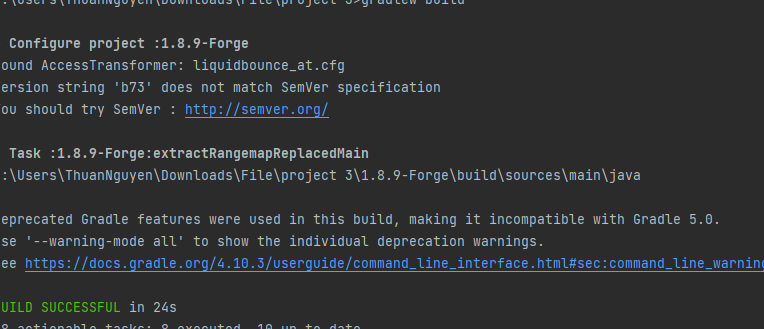
    1fd92af1-a4c3-43ae-85c6-44ccc4343590-image.png

    go to the liquidbounce-legacy folder --> 1.8.9-Forge --> build --> libs there you go that is your liquidbounce you build

    e694590f-37f6-4de3-b93d-6b472ee8f34e-image.png

    Warning: If build failed that mean your share main code have a problem check your code you do again and compile it

    I Offline
    I Offline
    ibook
    wrote on last edited by
    #4

    @_simonclient_ 0c078c07-6e4a-4024-93be-86507ee9afdb-image.png Why didn't I build it

    _SimonClient__ I 2 Replies Last reply
    0
    • _SimonClient__ _SimonClient_

      first : download https://github.com/CCBlueX/LiquidBounce/tree/legacy

      second :open IDEA

      third : click Terminal Screenshot_1.png

      fourth:copy this and paste to terminal
      gradlew setupDevWorkspace idea genIntellijRuns build

      fifth: press enter and wait to build (build is on the hotbar with terminal too) when finish it like this:
      ae1acef6-417f-4bd2-9def-f3f3a36606dc-image.png

      sixth : go to build and reload, reload button
      14934a60-580f-4cf2-a01c-1c6a0b3bbdae-image.png

      seventh:click this
      f0e7bca2-a5ff-45eb-a61e-fb15ecf24c75-image.png

      And it will be liked this:
      059ff227-1d22-47b8-8229-0dc8e8145ead-image.png

      eighth :press edit configurations
      8b8213f4-946a-49a9-a0f3-91eead8ff6a8-image.png

      nineth:click this button to remove 1.12.2-Forge Minecraft Client and Minecraft Server
      1ee24113-1a6f-4086-a15e-a30694cf454a-image.png

      ten: edit src in share folderb5296566-642e-4578-b5fd-76a633a7342e-image.png

      eleven : open terminal again
      and paste this code in : gradlew build
      24d17822-c583-496a-8cfd-f1ae1fbcf773-image.png

      twelve press Enter and wait it to build like this:
      1fd92af1-a4c3-43ae-85c6-44ccc4343590-image.png

      go to the liquidbounce-legacy folder --> 1.8.9-Forge --> build --> libs there you go that is your liquidbounce you build
      e694590f-37f6-4de3-b93d-6b472ee8f34e-image.png

      Warning: If build failed that mean your share main code have a problem check your code you do again and compile it

      I Offline
      I Offline
      ibook
      wrote on last edited by
      #5

      @_simonclient_ How to debug

      1 Reply Last reply
      0
      • I ibook

        @_simonclient_ 0c078c07-6e4a-4024-93be-86507ee9afdb-image.png Why didn't I build it

        _SimonClient__ Offline
        _SimonClient__ Offline
        _SimonClient_
        wrote on last edited by _SimonClient_
        #6

        @ibook your main folder might have a problem if you don;;t know run with debug
        gradlew --debug setupDevWorkspace idea genIntellijRuns build

        ? 1 Reply Last reply
        0
        • _SimonClient__ _SimonClient_

          @ibook your main folder might have a problem if you don;;t know run with debug
          gradlew --debug setupDevWorkspace idea genIntellijRuns build

          ? Offline
          ? Offline
          A Former User
          wrote on last edited by
          #7

          @_simonclient_ are you fucking retarded (you are)
          do you know what does debug mean

          _SimonClient__ 1 Reply Last reply
          0
          • ? A Former User

            @_simonclient_ are you fucking retarded (you are)
            do you know what does debug mean

            _SimonClient__ Offline
            _SimonClient__ Offline
            _SimonClient_
            wrote on last edited by
            #8

            @sigma-bot i am lag not run with debug ru gradlew --stacktrace to find the probblem :))

            1 Reply Last reply
            0
            • _SimonClient__ _SimonClient_

              first : download https://github.com/CCBlueX/LiquidBounce/tree/legacy

              second :open IDEA

              third : click Terminal Screenshot_1.png

              fourth:copy this and paste to terminal
              gradlew setupDevWorkspace idea genIntellijRuns build

              fifth: press enter and wait to build (build is on the hotbar with terminal too) when finish it like this:
              ae1acef6-417f-4bd2-9def-f3f3a36606dc-image.png

              sixth : go to build and reload, reload button
              14934a60-580f-4cf2-a01c-1c6a0b3bbdae-image.png

              seventh:click this
              f0e7bca2-a5ff-45eb-a61e-fb15ecf24c75-image.png

              And it will be liked this:
              059ff227-1d22-47b8-8229-0dc8e8145ead-image.png

              eighth :press edit configurations
              8b8213f4-946a-49a9-a0f3-91eead8ff6a8-image.png

              nineth:click this button to remove 1.12.2-Forge Minecraft Client and Minecraft Server
              1ee24113-1a6f-4086-a15e-a30694cf454a-image.png

              ten: edit src in share folderb5296566-642e-4578-b5fd-76a633a7342e-image.png

              eleven : open terminal again
              and paste this code in : gradlew build
              24d17822-c583-496a-8cfd-f1ae1fbcf773-image.png

              twelve press Enter and wait it to build like this:
              1fd92af1-a4c3-43ae-85c6-44ccc4343590-image.png

              go to the liquidbounce-legacy folder --> 1.8.9-Forge --> build --> libs there you go that is your liquidbounce you build
              e694590f-37f6-4de3-b93d-6b472ee8f34e-image.png

              Warning: If build failed that mean your share main code have a problem check your code you do again and compile it

              I Offline
              I Offline
              ibook
              wrote on last edited by
              #9

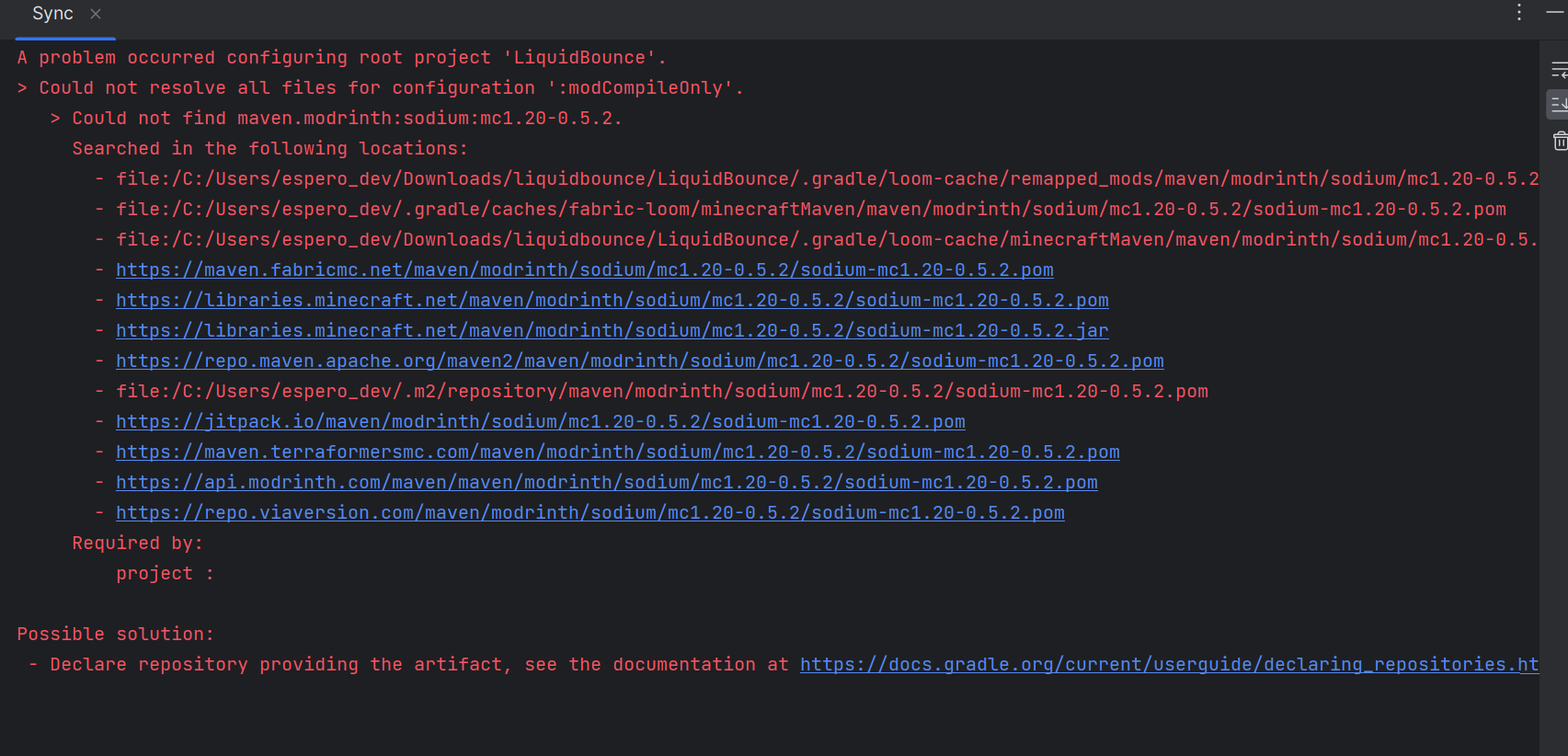
              @_simonclient_ 56630f5e-b096-4663-ae73-22b26962f4cc-image.png Why there are errors, how should I fix them

              Legi parkL 1 Reply Last reply
              0
              • I ibook

                @_simonclient_ 0c078c07-6e4a-4024-93be-86507ee9afdb-image.png Why didn't I build it

                I Offline
                I Offline
                ibook
                wrote on last edited by
                #10

                @ibook f2596c49-f877-4a16-b6ff-18cede5fa5d6-image.png How should I fix it

                BobikHatarB 1 Reply Last reply
                1
                • I ibook

                  @_simonclient_ 56630f5e-b096-4663-ae73-22b26962f4cc-image.png Why there are errors, how should I fix them

                  Legi parkL Offline
                  Legi parkL Offline
                  Legi park
                  wrote on last edited by
                  #11

                  @ibook and how did you fix this error?

                  1 Reply Last reply
                  0
                  • _SimonClient__ _SimonClient_

                    first : download https://github.com/CCBlueX/LiquidBounce/tree/legacy

                    second :open IDEA

                    third : click Terminal Screenshot_1.png

                    fourth:copy this and paste to terminal
                    gradlew setupDevWorkspace idea genIntellijRuns build

                    fifth: press enter and wait to build (build is on the hotbar with terminal too) when finish it like this:
                    ae1acef6-417f-4bd2-9def-f3f3a36606dc-image.png

                    sixth : go to build and reload, reload button
                    14934a60-580f-4cf2-a01c-1c6a0b3bbdae-image.png

                    seventh:click this
                    f0e7bca2-a5ff-45eb-a61e-fb15ecf24c75-image.png

                    And it will be liked this:
                    059ff227-1d22-47b8-8229-0dc8e8145ead-image.png

                    eighth :press edit configurations
                    8b8213f4-946a-49a9-a0f3-91eead8ff6a8-image.png

                    nineth:click this button to remove 1.12.2-Forge Minecraft Client and Minecraft Server
                    1ee24113-1a6f-4086-a15e-a30694cf454a-image.png

                    ten: edit src in share folderb5296566-642e-4578-b5fd-76a633a7342e-image.png

                    eleven : open terminal again
                    and paste this code in : gradlew build
                    24d17822-c583-496a-8cfd-f1ae1fbcf773-image.png

                    twelve press Enter and wait it to build like this:
                    1fd92af1-a4c3-43ae-85c6-44ccc4343590-image.png

                    go to the liquidbounce-legacy folder --> 1.8.9-Forge --> build --> libs there you go that is your liquidbounce you build
                    e694590f-37f6-4de3-b93d-6b472ee8f34e-image.png

                    Warning: If build failed that mean your share main code have a problem check your code you do again and compile it

                    T Offline
                    T Offline
                    ThePoggoIsCool
                    wrote on last edited by
                    #12

                    @_simonclient_ thanks dude!! this really help alot!

                    1 Reply Last reply
                    0
                    • I ibook

                      @ibook f2596c49-f877-4a16-b6ff-18cede5fa5d6-image.png How should I fix it

                      BobikHatarB Offline
                      BobikHatarB Offline
                      BobikHatar
                      wrote on last edited by BobikHatar
                      #13

                      @ibook in 1.8.9-Forge\build.gradle and in 1.8.9-Vanilla\build.gradle

                      change this

                      implementation 'com.github.TheAltening:API-Java:master-SNAPSHOT'
                      implementation 'com.github.TheAltening:API-Java-AuthLib:-SNAPSHOT'
                      compile 'com.github.TheAltening:API-Java:api-2.0-SNAPSHOT'
                      compile 'com.github.TheAltening:API-Java-AuthLib:-SNAPSHOT'
                      

                      to this

                      implementation 'com.github.TheAltening:TheAltening4j:master-SNAPSHOT'
                      implementation 'com.github.TheAltening:API-Java-AuthLib:-SNAPSHOT'
                      compile 'com.github.TheAltening:TheAltening4j:api-2.0-22541fa70f-1'
                      compile 'com.github.TheAltening:API-Java-AuthLib:-SNAPSHOT'
                      
                      1 Reply Last reply
                      0
                      • S Offline
                        S Offline
                        S3lvax
                        wrote on last edited by
                        #14

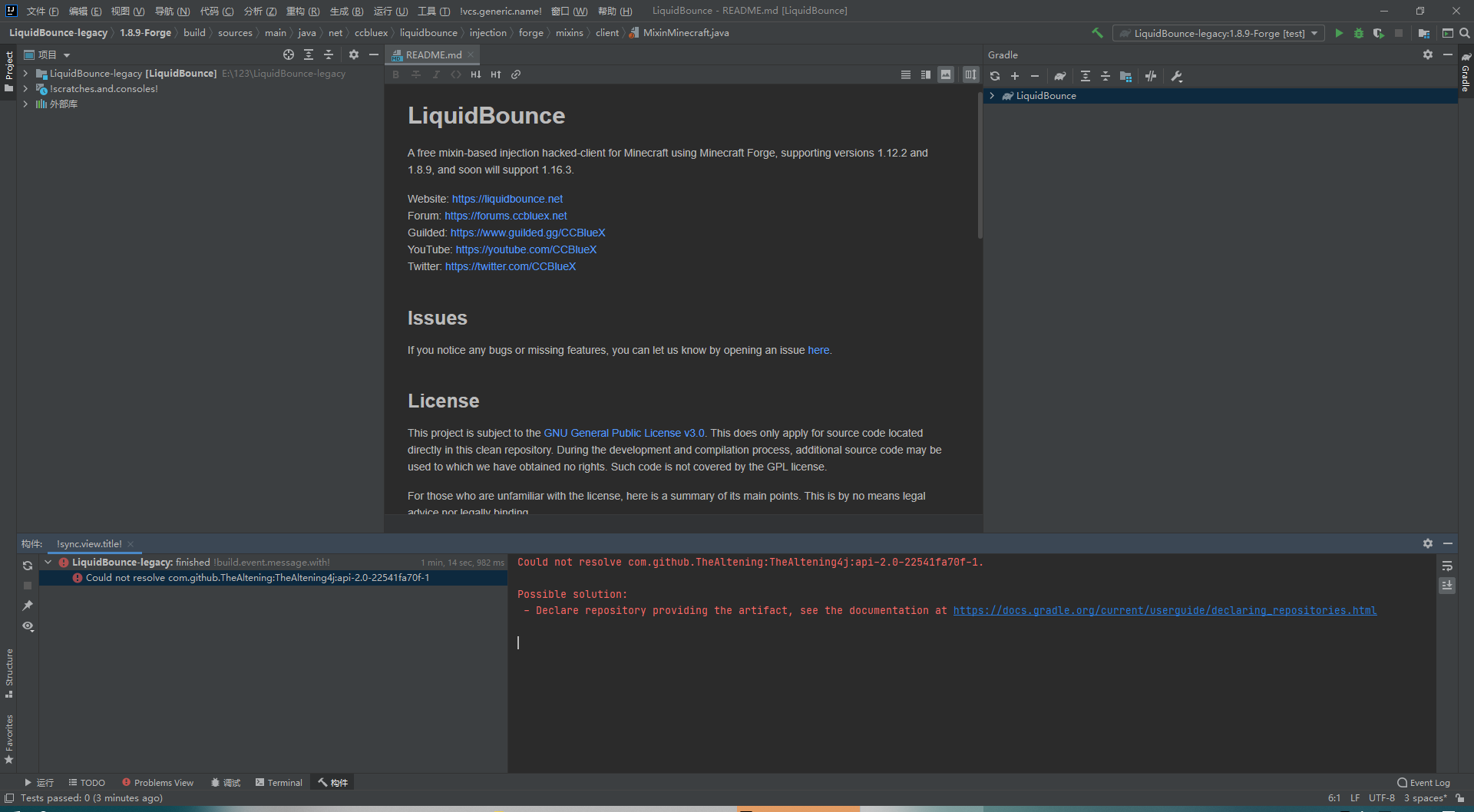
                        e6562aee-c2e5-48d5-bf92-1293c2703960-image.png

                        WaterFlexW 1 Reply Last reply
                        0
                        • ewfewfewE Offline
                          ewfewfewE Offline
                          ewfewfew
                          wrote on last edited by
                          #15
                          This post is deleted!
                          1 Reply Last reply
                          0
                          • S S3lvax

                            e6562aee-c2e5-48d5-bf92-1293c2703960-image.png

                            WaterFlexW Offline
                            WaterFlexW Offline
                            WaterFlex
                            wrote on last edited by
                            #16

                            @S3lvax https://github.com/SkidderMC/FDPClient/blob/main/docs/WORKSPACE.md and u probably have to run it with ./gradlew etc

                            1 Reply Last reply
                            0
                            • espero-devE Offline
                              espero-devE Offline
                              espero-dev
                              wrote on last edited by
                              #17

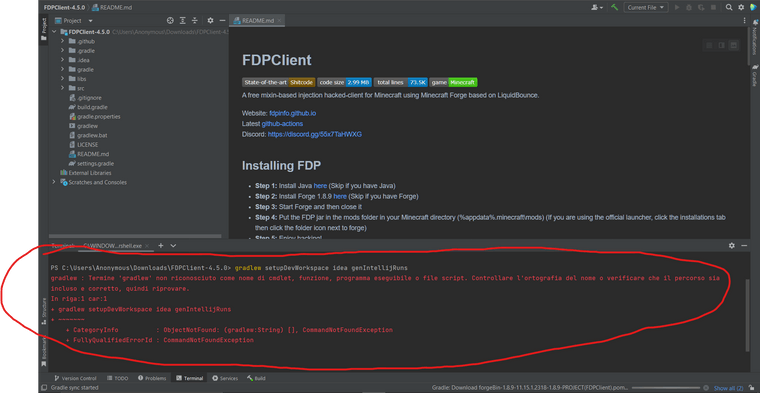
                              031665bb-6d8e-4368-9086-4b58993eadd3-image.png

                              help me please i cant build it any farther and somtimes i get the 'b83' is not used by Sver thing

                              1 Reply Last reply
                              0

                              Hello! It looks like you're interested in this conversation, but you don't have an account yet.

                              Getting fed up of having to scroll through the same posts each visit? When you register for an account, you'll always come back to exactly where you were before, and choose to be notified of new replies (either via email, or push notification). You'll also be able to save bookmarks and upvote posts to show your appreciation to other community members.

                              With your input, this post could be even better 💗

                              Register Login
                              Reply
                              • Reply as topic
                              Log in to reply
                              • Oldest to Newest
                              • Newest to Oldest
                              • Most Votes


                              About
                              • Terms of Service
                              • Privacy Policy
                              • Status
                              • Contact Us
                              Downloads
                              • Releases
                              • Source code
                              • License
                              Docs
                              • Tutorials
                              • CustomHUD
                              • AutoSettings
                              • ScriptAPI
                              Community
                              • Forum
                              • Guilded
                              • YouTube
                              • Twitter
                              • D.Tube
                              • Login

                              • Login or register to search.
                              • First post
                                Last post
                              0
                              • Categories
                              • Recent
                              • Tags
                              • Popular
                              • Users
                              • Groups