Skip to content
  • Categories
  • Recent
  • Tags
  • Popular
  • Users
  • Groups
Skins
  • Light
  • Cerulean
  • Cosmo
  • Flatly
  • Journal
  • Litera
  • Lumen
  • Lux
  • Materia
  • Minty
  • Morph
  • Pulse
  • Sandstone
  • Simplex
  • Sketchy
  • Spacelab
  • United
  • Yeti
  • Zephyr
  • Dark
  • Cyborg
  • Darkly
  • Quartz
  • Slate
  • Solar
  • Superhero
  • Vapor

  • Default (No Skin)
  • No Skin
Collapse

LiquidBounce Forum

  1. Home
  2. Resources
  3. Best Schematic for Notebot made by me

Best Schematic for Notebot made by me

Scheduled Pinned Locked Moved Resources
10 Posts 4 Posters 548 Views
  • Oldest to Newest
  • Newest to Oldest
  • Most Votes
Reply
  • Reply as topic
Log in to reply
This topic has been deleted. Only users with topic management privileges can see it.
  • TheHackerT Offline
    TheHackerT Offline
    TheHacker
    wrote on last edited by TheHacker
    #1

    I was working on a build for play almost %80 of all NBS songs published at noteblock.world so i made this basic system for it. system preview.png
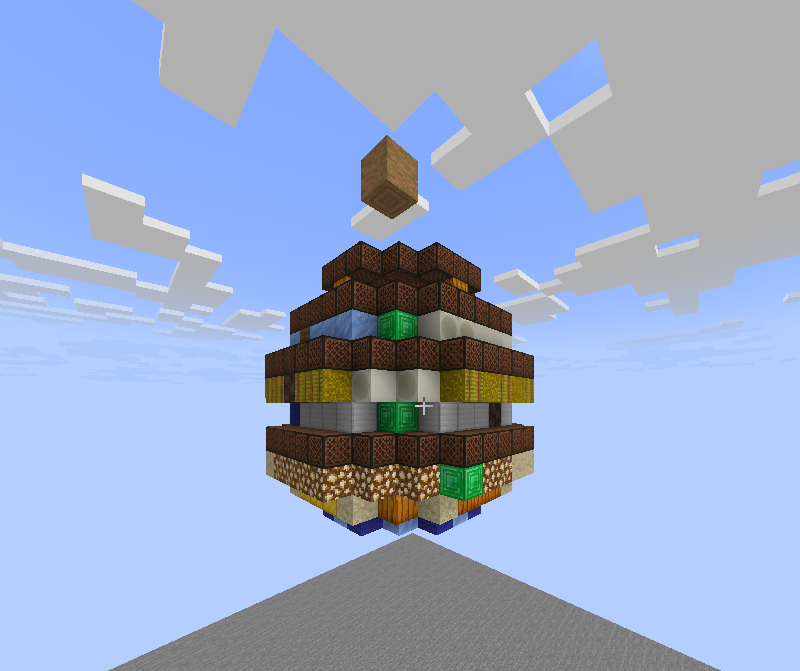
    You can play almost any song with that, if instruments is not enough, you can add more instruments up thereupper part.png

    Just be sure to be top of the dirt block and you're ready to go
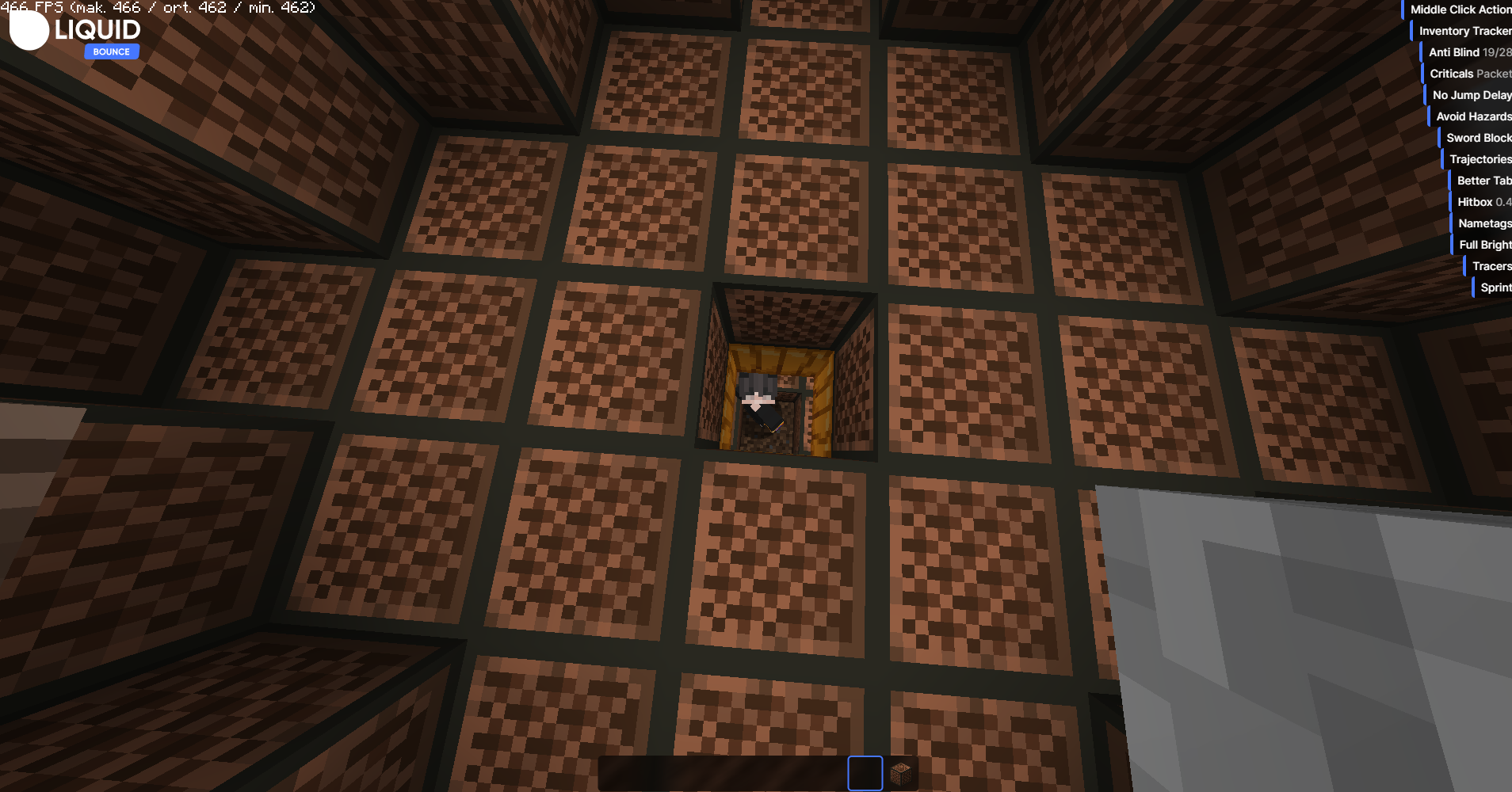
    inside dirt.png

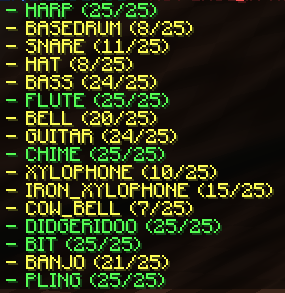
    Here's the list what can she play list.png

    Schematic Download link : Pixeldrain

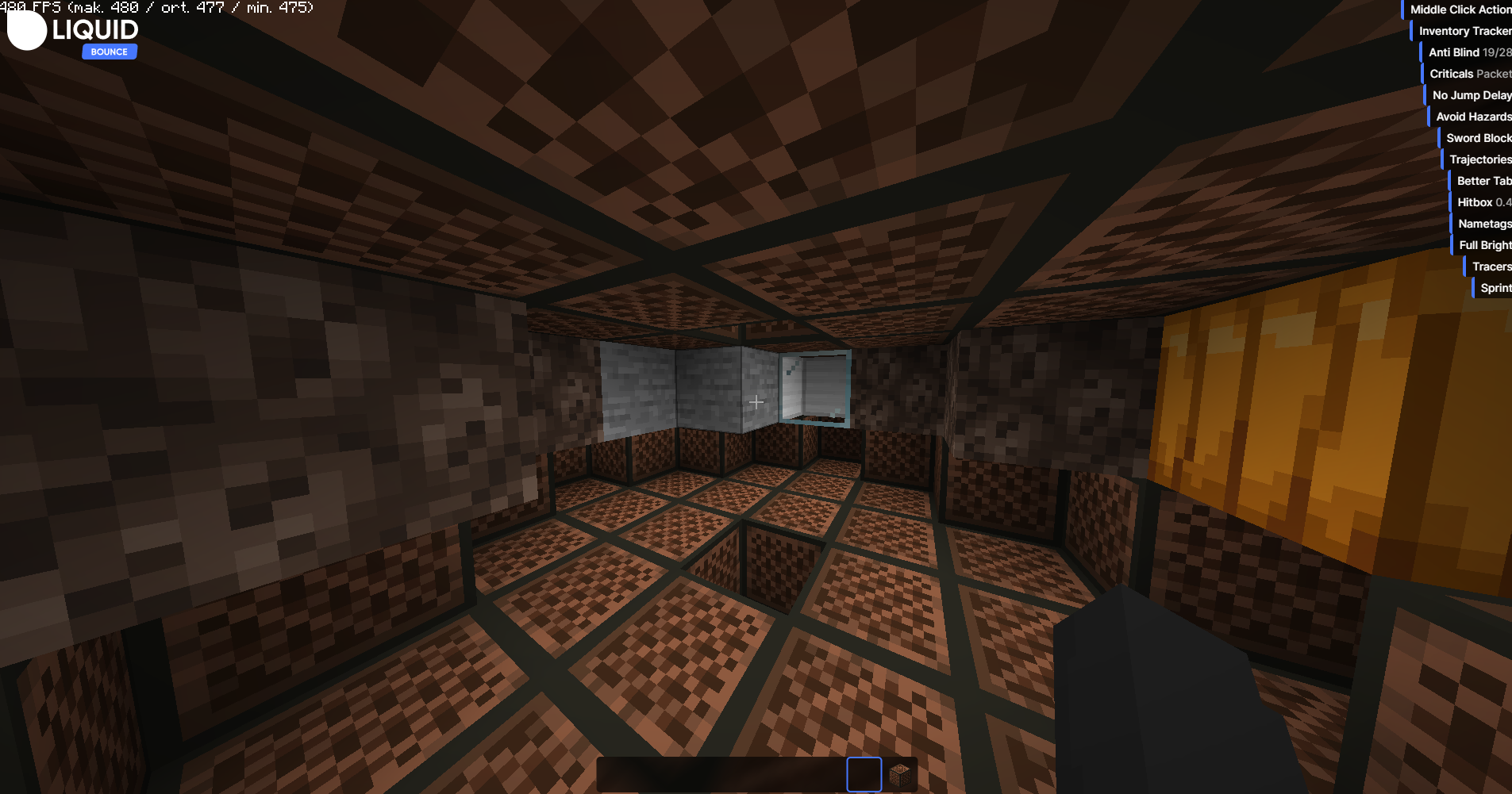
    Here's a preview while system is working

    1 Reply Last reply
    0
    • C Offline
      C Offline
      CookieShualon
      wrote on last edited by
      #2

      wow this is insane! good job!

      1 Reply Last reply
      0
      • kawaiinekololisK Offline
        kawaiinekololisK Offline
        kawaiinekololis
        Admin
        wrote on last edited by
        #3

        Very nice. Feel free to share a guide about Notebot to our documentation as well.

        TheHackerT 1 Reply Last reply
        0
        • kawaiinekololisK kawaiinekololis

          Very nice. Feel free to share a guide about Notebot to our documentation as well.

          TheHackerT Offline
          TheHackerT Offline
          TheHacker
          wrote on last edited by
          #4

          @kawaiinekololis yeah thanks i don't know how to it actually but i will try

          kawaiinekololisK 1 Reply Last reply
          0
          • Dylanvip2024D Offline
            Dylanvip2024D Offline
            Dylanvip2024
            wrote on last edited by
            #5

            I think this is a great feature, especially when performing in front of friends!

            TheHackerT 1 Reply Last reply
            0
            • TheHackerT TheHacker

              @kawaiinekololis yeah thanks i don't know how to it actually but i will try

              kawaiinekololisK Offline
              kawaiinekololisK Offline
              kawaiinekololis
              Admin
              wrote on last edited by
              #6

              @TheHacker

              1. Create a GitHub Account
              2. Go to https://github.com/CCBlueX/Documentation
              3. Press on Fork. Then wait until it redirects you to your own fork.
              4. Open the online text editor by pressing dot (.).
              5. Create markdown file (.md) for your documentation
              6. Define the name and path in manifest.json.
              7. Do a git commit and submit as pull request.
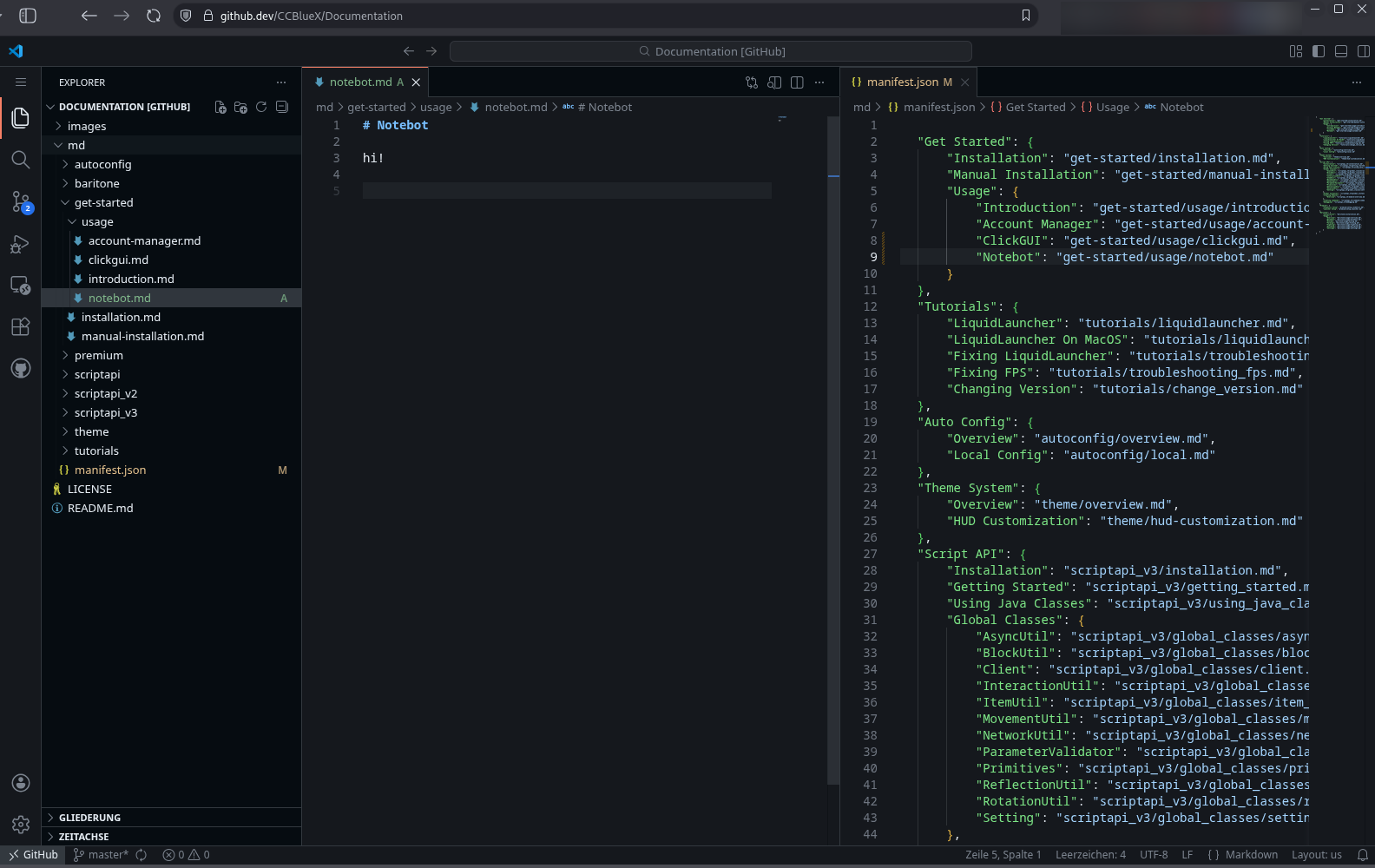
              2873ffc7-0cc1-4c2a-9847-b1e6b0bd5a52-image.png

              You can also write one in markdown using an text editor that supports it and contact our support to submit it for you.

              TheHackerT 1 Reply Last reply
              0
              • Dylanvip2024D Dylanvip2024

                I think this is a great feature, especially when performing in front of friends!

                TheHackerT Offline
                TheHackerT Offline
                TheHacker
                wrote on last edited by TheHacker
                #7

                @Dylanvip2024 yeah that's why i built it already

                1 Reply Last reply
                0
                • TheHackerT Offline
                  TheHackerT Offline
                  TheHacker
                  wrote last edited by
                  #8
                  This post is deleted!
                  1 Reply Last reply
                  0
                  • kawaiinekololisK kawaiinekololis

                    @TheHacker

                    1. Create a GitHub Account
                    2. Go to https://github.com/CCBlueX/Documentation
                    3. Press on Fork. Then wait until it redirects you to your own fork.
                    4. Open the online text editor by pressing dot (.).
                    5. Create markdown file (.md) for your documentation
                    6. Define the name and path in manifest.json.
                    7. Do a git commit and submit as pull request.

                    2873ffc7-0cc1-4c2a-9847-b1e6b0bd5a52-image.png

                    You can also write one in markdown using an text editor that supports it and contact our support to submit it for you.

                    TheHackerT Offline
                    TheHackerT Offline
                    TheHacker
                    wrote last edited by
                    #9

                    @kawaiinekololis can i add my credits in that markdown somewhere?

                    kawaiinekololisK 1 Reply Last reply
                    0
                    • TheHackerT TheHacker

                      @kawaiinekololis can i add my credits in that markdown somewhere?

                      kawaiinekololisK Offline
                      kawaiinekololisK Offline
                      kawaiinekololis
                      Admin
                      wrote last edited by
                      #10

                      @TheHacker Sure.

                      1 Reply Last reply
                      0
                      Reply
                      • Reply as topic
                      Log in to reply
                      • Oldest to Newest
                      • Newest to Oldest
                      • Most Votes


                      About
                      • Terms of Service
                      • Privacy Policy
                      • Status
                      • Contact Us
                      Downloads
                      • Releases
                      • Source code
                      • License
                      Docs
                      • Tutorials
                      • CustomHUD
                      • AutoSettings
                      • ScriptAPI
                      Community
                      • Forum
                      • Guilded
                      • YouTube
                      • Twitter
                      • D.Tube
                      • Login

                      • Login or register to search.
                      • First post
                        Last post
                      0
                      • Categories
                      • Recent
                      • Tags
                      • Popular
                      • Users
                      • Groups