help
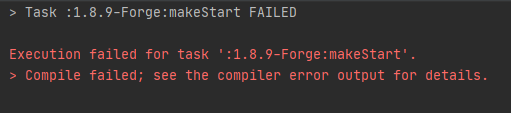
-
@idkmyname
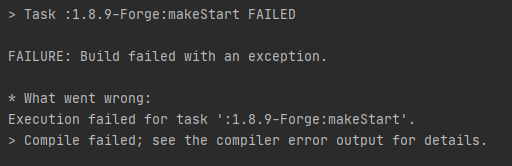
More details in the compiler error output?
Btw is that monospace font? -
The information in the picture is not sufficient to locate the problem. There are supposed to be more details of the error(s) (maybe somewhere in idea or 1.8.9-Forge/.gradle/gradle.log).
Or you can run if you use Windowsgradlew.bat setupDevWorkSpacein cmd to see if there is any output.
other wise (*nix) run
./gradlew setupDevWorkSpaceAnd make sure you are using the latest source.
-
@idkmyname
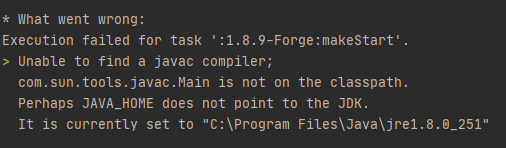
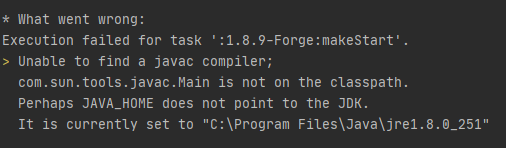
Exactly what it says, JAVA_HOME doesn't point to JDK but to JRE, that's the problem
-
@idkmyname
JDK is basically a superset of JRE.In simple words, JDK is something for writing programs, while JRE is something for running those java programs. (of course a JDK will also allows you to run a Java program)
JDK -> Java Development Kit
JRE -> Java Runtime EnvironmentTo do something LiquidBounce developing related thing you need to have JDK installed.
To determine if you have a JDK installed, navigate to
C:\Program Files\Java\And see if there is a folder for JDK exist (for example jdk1.8.0_251 instead of jre..... )
If you don't have JDK installed, then install one, I don't remember if any extra steps like registering a oracle account is needed on windows currently.
Then you modify the JAVA_HOME variable to the the JDK path. After that it should work.
-
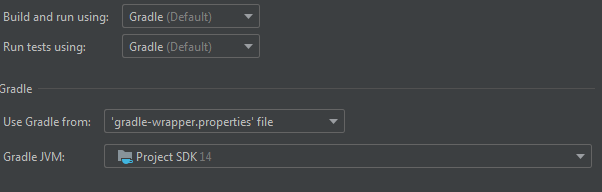
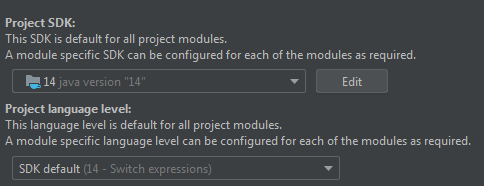
@idkmyname you need a jdk like 1.8.xxx , you are using 14 that wont work with minecraft.
You can download one through intellij.
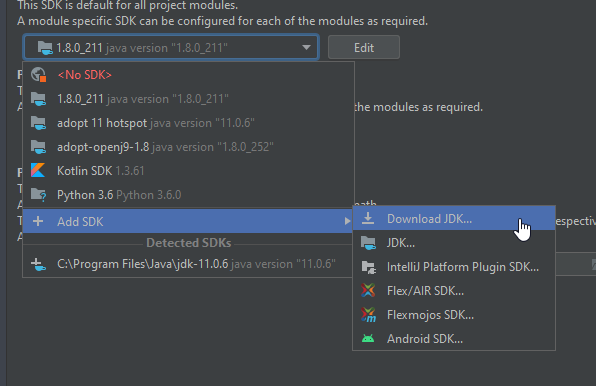
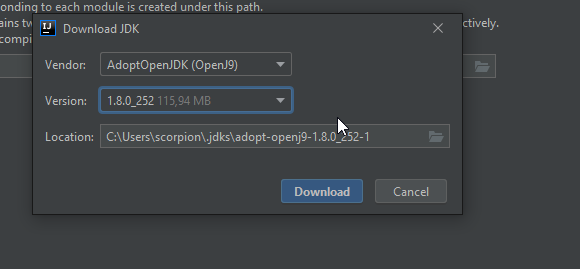
@scorpion3013 omg i did it thanks you so much






Hello! It looks like you're interested in this conversation, but you don't have an account yet.
Getting fed up of having to scroll through the same posts each visit? When you register for an account, you'll always come back to exactly where you were before, and choose to be notified of new replies (either via email, or push notification). You'll also be able to save bookmarks and upvote posts to show your appreciation to other community members.
With your input, this post could be even better 💗
Register Login