Skip to content
  • Categories
  • Recent
  • Tags
  • Popular
  • Users
  • Groups
Skins
  • Light
  • Brite
  • Cerulean
  • Cosmo
  • Flatly
  • Journal
  • Litera
  • Lumen
  • Lux
  • Materia
  • Minty
  • Morph
  • Pulse
  • Sandstone
  • Simplex
  • Sketchy
  • Spacelab
  • United
  • Yeti
  • Zephyr
  • Dark
  • Cyborg
  • Darkly
  • Quartz
  • Slate
  • Solar
  • Superhero
  • Vapor

  • Default (No Skin)
  • No Skin
Collapse

LiquidBounce Forum

  1. Home
  2. Suggestions
  3. How can I do if I want to change the home page into Minecraft's own home page?
How can I do if I want to change the home page into Minecraft's own home page?

Scheduled Pinned Locked Moved Suggestions
3 Posts 3 Posters 907 Views
  • Oldest to Newest
  • Newest to Oldest
  • Most Votes
Reply
  • Reply as topic
Log in to reply
This topic has been deleted. Only users with topic management privileges can see it.
  • Q Offline
    Q Offline
    qianyuyao
    wrote on last edited by
    #1

    How can I do if I want to change the home page into Minecraft's own home page?

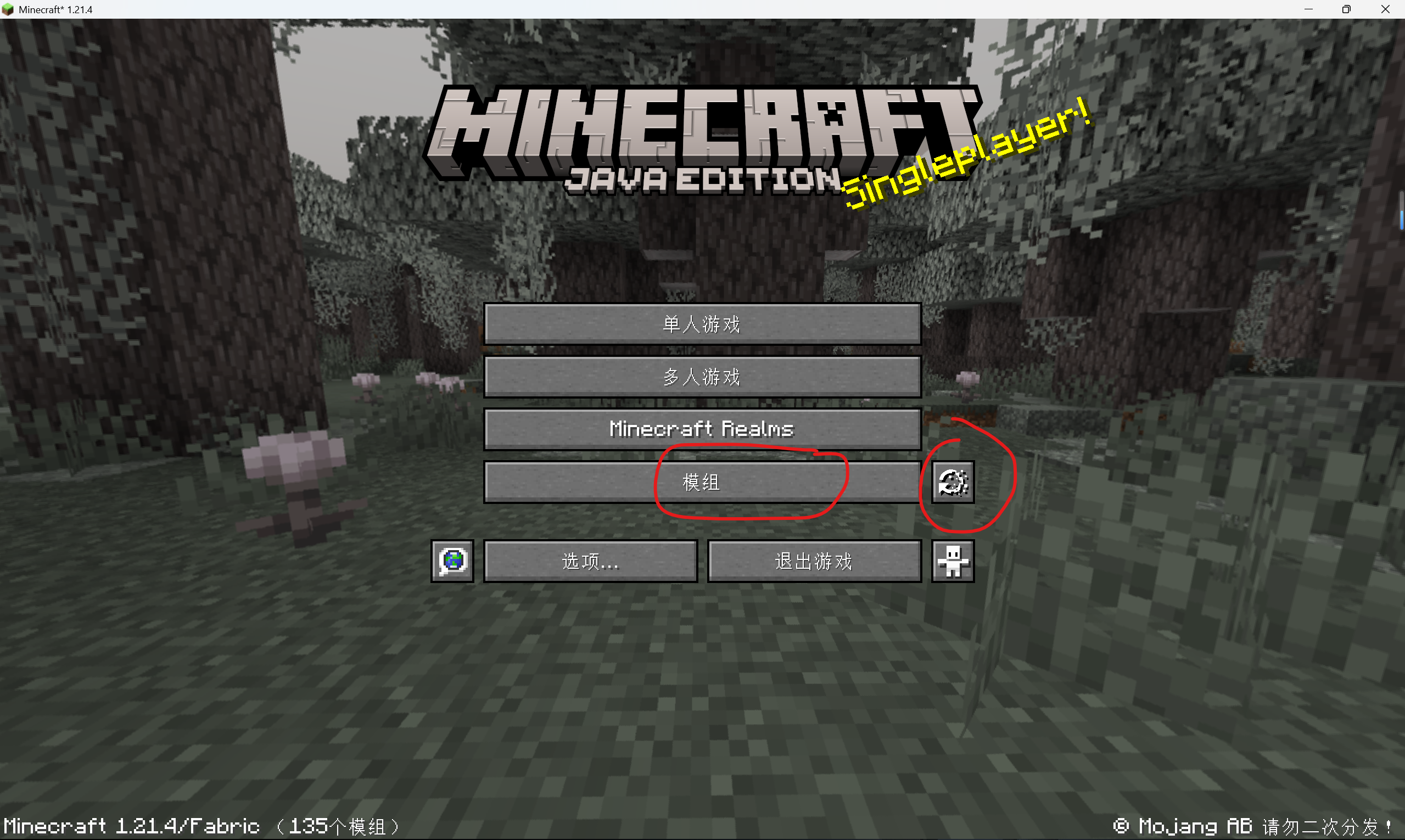
    I have some mods and their setting page is on Minecraft's own page,like this83d0e414-dcb7-4e54-b260-cfef89410383-image.png
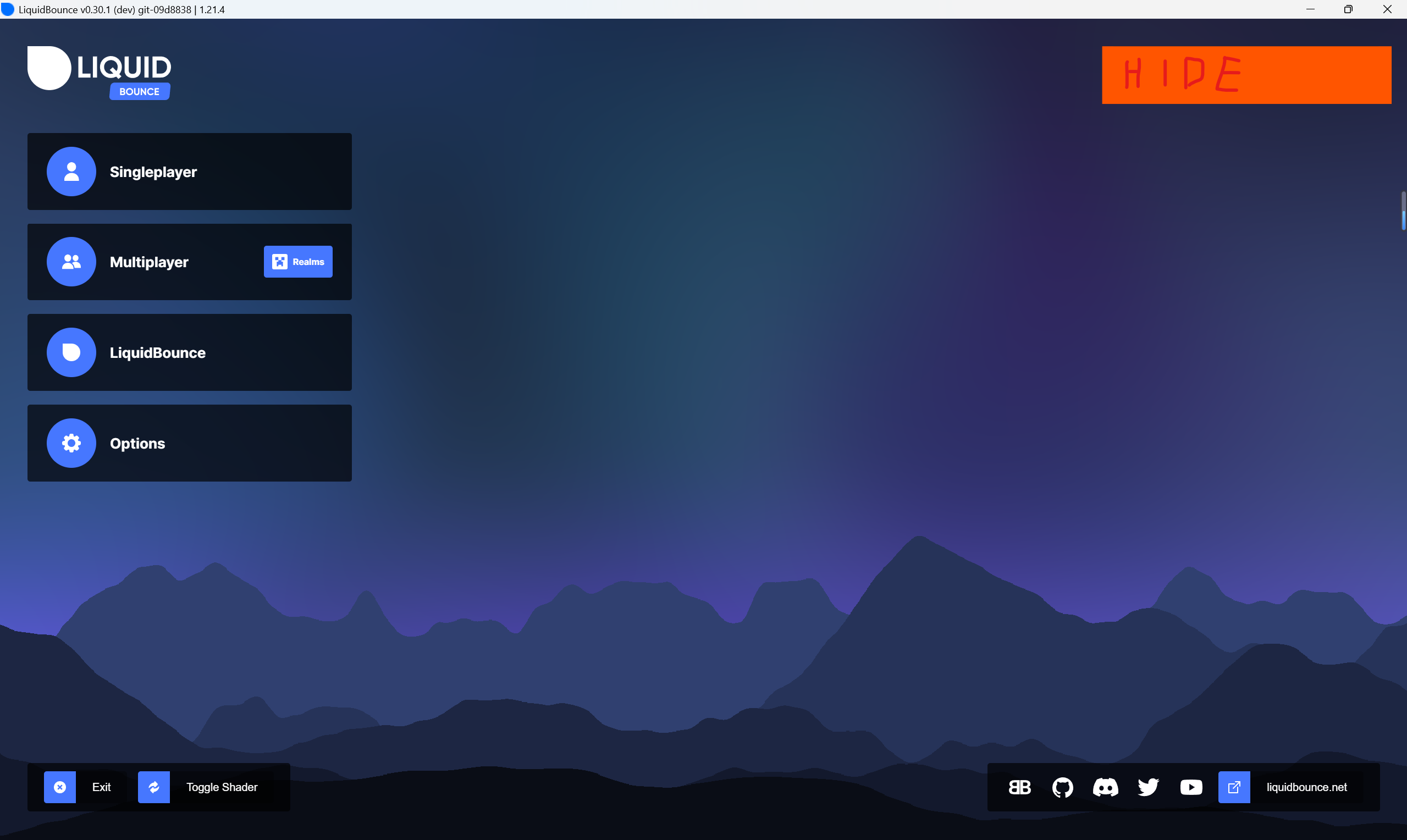
    But after adding LB,it became this:b5f55cf0-b50a-4166-b5eb-e9fa4e771fa1-image.png
    so,some actions didn't work.
    How can I do if I want to change the home page into Minecraft's own home page?

    C 1 Reply Last reply
    0
    • kawaiinekololisK Offline
      kawaiinekololisK Offline
      kawaiinekololis
      Admin
      wrote on last edited by
      #2

      You can hide the LiquidBounce menu by pressing CTRL + 2x SHIFT

      1 Reply Last reply
      👍
      0
      • Q qianyuyao

        How can I do if I want to change the home page into Minecraft's own home page?

        I have some mods and their setting page is on Minecraft's own page,like this83d0e414-dcb7-4e54-b260-cfef89410383-image.png
        But after adding LB,it became this:b5f55cf0-b50a-4166-b5eb-e9fa4e771fa1-image.png
        so,some actions didn't work.
        How can I do if I want to change the home page into Minecraft's own home page?

        C Offline
        C Offline
        ChipsDog
        wrote on last edited by
        #3

        @qianyuyao You can hide the LiquidBounce menu by pressing Ctrl + Shift*2
        最新版本边长按Ctrl边按两下Shift即可,左右都可

        1 Reply Last reply
        0

        Hello! It looks like you're interested in this conversation, but you don't have an account yet.

        Getting fed up of having to scroll through the same posts each visit? When you register for an account, you'll always come back to exactly where you were before, and choose to be notified of new replies (either via email, or push notification). You'll also be able to save bookmarks and upvote posts to show your appreciation to other community members.

        With your input, this post could be even better 💗

        Register Login
        Reply
        • Reply as topic
        Log in to reply
        • Oldest to Newest
        • Newest to Oldest
        • Most Votes


        About
        • Terms of Service
        • Privacy Policy
        • Status
        • Contact Us
        Downloads
        • Releases
        • Source code
        • License
        Docs
        • Tutorials
        • CustomHUD
        • AutoSettings
        • ScriptAPI
        Community
        • Forum
        • Guilded
        • YouTube
        • Twitter
        • D.Tube
        • Login

        • Login or register to search.
        • First post
          Last post
        0
        • Categories
        • Recent
        • Tags
        • Popular
        • Users
        • Groups