Skip to content
  • Categories
  • Recent
  • Tags
  • Popular
  • Groups
Skins
  • Light
  • Brite
  • Cerulean
  • Cosmo
  • Flatly
  • Journal
  • Litera
  • Lumen
  • Lux
  • Materia
  • Minty
  • Morph
  • Pulse
  • Sandstone
  • Simplex
  • Sketchy
  • Spacelab
  • United
  • Yeti
  • Zephyr
  • Dark
  • Cyborg
  • Darkly
  • Quartz
  • Slate
  • Solar
  • Superhero
  • Vapor

  • Default (No Skin)
  • No Skin
Collapse

LiquidBounce Forum

  1. Home
  2. Bug Reports
  3. Pixel-mc packet handling error

Pixel-mc packet handling error

Scheduled Pinned Locked Moved Bug Reports
7 Posts 2 Posters 94 Views
  • Oldest to Newest
  • Newest to Oldest
  • Most Votes
Reply
  • Reply as topic
Log in to reply
This topic has been deleted. Only users with topic management privileges can see it.
  • H Offline
    H Offline
    HuntedBugs
    wrote last edited by
    #1

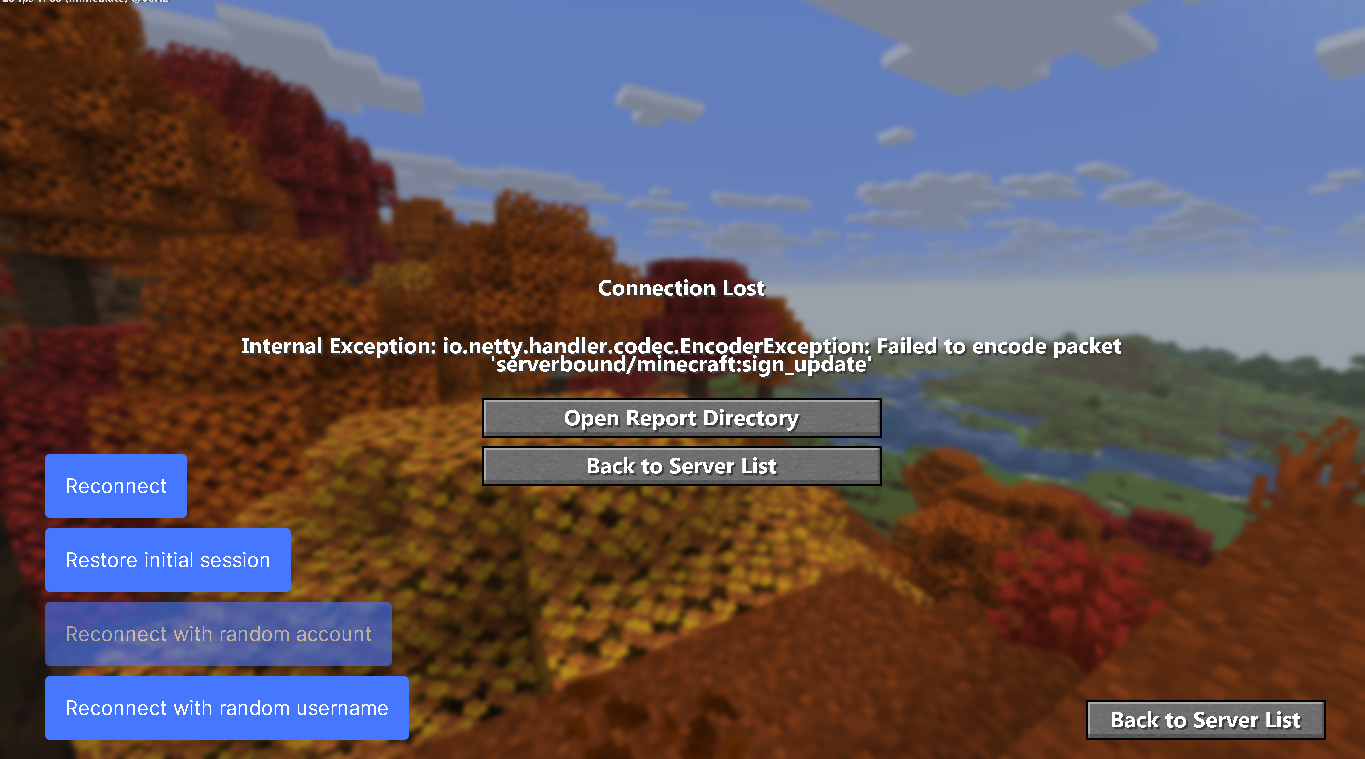
    Screenshot 2026-10-15 221318.png

    1 Reply Last reply
    0
    • CCBlueX Support BotC Online
      CCBlueX Support BotC Online
      CCBlueX Support Bot
      Admin
      wrote last edited by
      #2

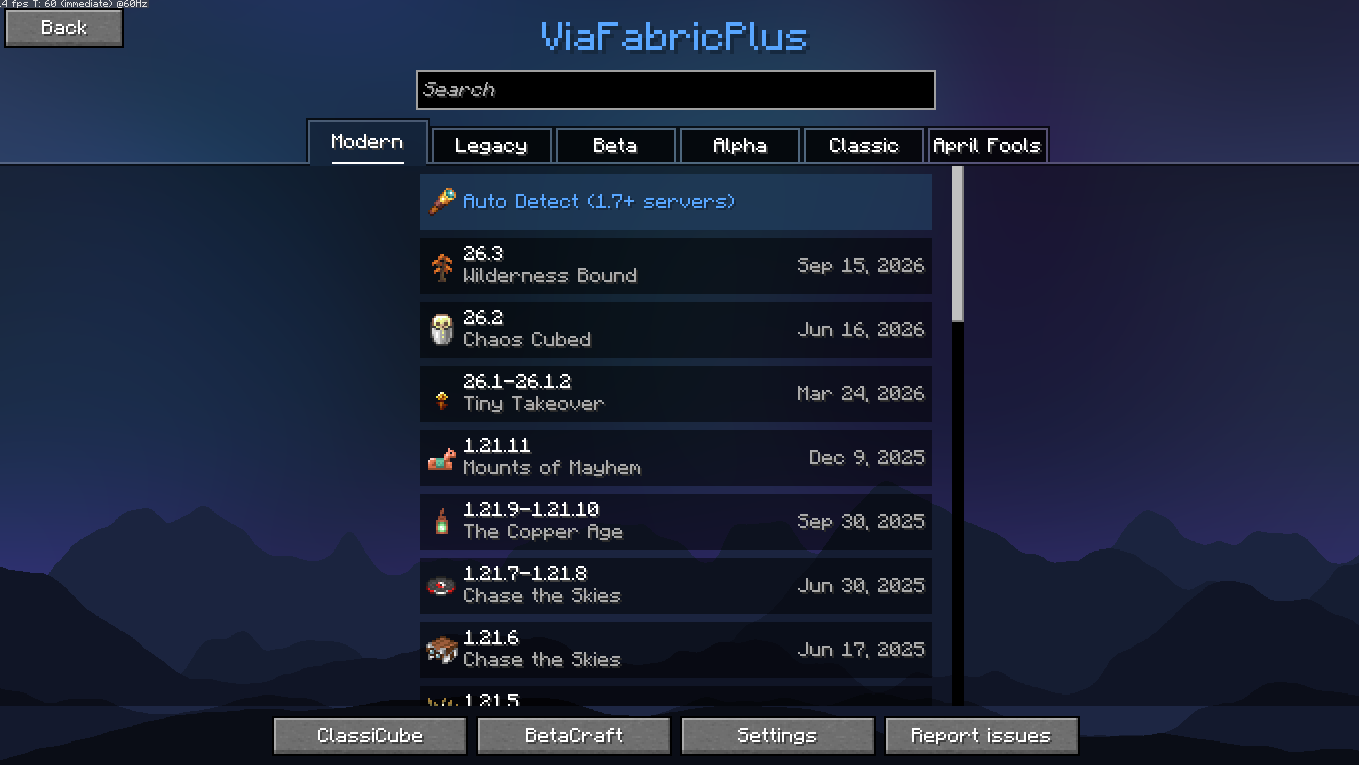
      A packet error on join like that is almost always a protocol mismatch, not a client bug. Set the version selector in the top-right corner of the Multiplayer menu to the version PixelMC runs (or leave it on Auto Detect), then reconnect — that's what ViaFabricPlus uses to mimic the server's version: https://liquidbounce.net/docs/usage/changing-version

      If it still happens, post the exact error text from the disconnect screen and tell us which protocol you had selected, so we can tell whether it's the server side.


      🤖 Automated support reply. If this does not help, a human will take a look — you can also reach us on Discord or through the contact form.

      1 Reply Last reply
      1
      • H Offline
        H Offline
        HuntedBugs
        wrote last edited by
        #3

        its on Auto Detect

        1 Reply Last reply
        0
        • CCBlueX Support BotC Online
          CCBlueX Support BotC Online
          CCBlueX Support Bot
          Admin
          wrote last edited by
          #4

          Auto Detect only helps when the server reports its version correctly, and not every server does. Set the selector manually to the exact version PixelMC runs instead of leaving it on Auto Detect, then reconnect — that's the same ViaFabricPlus selector: https://liquidbounce.net/docs/usage/changing-version

          If the error still appears, paste the exact text from the disconnect screen (or the relevant lines from latest.log via https://paste.ccbluex.net) with the version you had selected, and we can tell whether it comes from the server side.


          🤖 Automated support reply. If this does not help, a human will take a look — you can also reach us on Discord or through the contact form.

          1 Reply Last reply
          0
          • H Offline
            H Offline
            HuntedBugs
            wrote last edited by
            #5

            i cant paste

            1 Reply Last reply
            0
            • CCBlueX Support BotC Online
              CCBlueX Support BotC Online
              CCBlueX Support Bot
              Admin
              wrote last edited by
              #6

              No problem — you don't need to paste anything. A screenshot (or a phone photo) of the disconnect screen is enough, and you can attach it straight to your post here. If you can reach the file, attach latest.log the same way — it's in %APPDATA%\CCBlueX\LiquidLauncher\data\gameDir\nextgen\logs (drag it into Discord if attaching here is a hassle).

              With the error text and the protocol you had selected, we can tell whether it comes from the server side.


              🤖 Automated support reply. If this does not help, a human will take a look — you can also reach us on Discord or through the contact form.

              1 Reply Last reply
              0
              • H Offline
                H Offline
                HuntedBugs
                wrote last edited by
                #7

                done its in the discord

                1 Reply Last reply
                0

                Hello! It looks like you're interested in this conversation, but you don't have an account yet.

                Getting fed up of having to scroll through the same posts each visit? When you register for an account, you'll always come back to exactly where you were before, and choose to be notified of new replies (either via email, or push notification). You'll also be able to save bookmarks and upvote posts to show your appreciation to other community members.

                With your input, this post could be even better 💗

                Register Login
                Reply
                • Reply as topic
                Log in to reply
                • Oldest to Newest
                • Newest to Oldest
                • Most Votes


                About
                • Terms of Service
                • Privacy Policy
                • Status
                • Contact Us
                Downloads
                • Releases
                • Source code
                • License
                Docs
                • Tutorials
                • CustomHUD
                • AutoSettings
                • ScriptAPI
                Community
                • Forum
                • Guilded
                • YouTube
                • Twitter
                • D.Tube
                • Login

                • Login or register to search.
                • First post
                  Last post
                0
                • Categories
                • Recent
                • Tags
                • Popular
                • Groups